How it works
Search, find, create
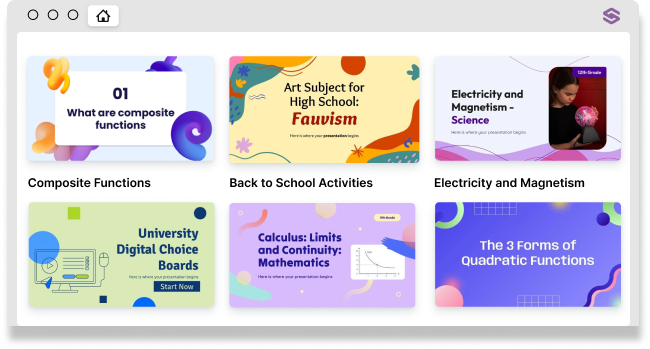
First, explore awesome templates that will fit any of your projects and presentations. Then customize at will: each template or presentation comes with a great number of icons, infographics, and images. Last, but not least, make an impact! A well-structured presentation, with a clean design, communicates better and makes your students engage
Slidesgo is a tool
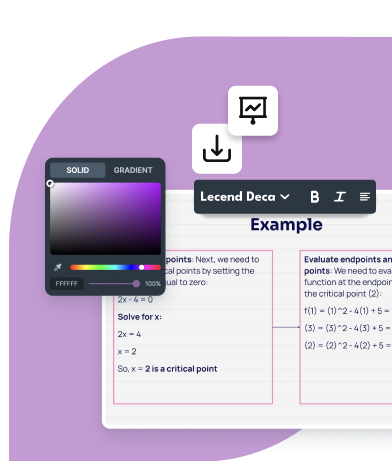
So you can use it at your convenience: start editing online, download your work and finish collaborating on Google Slides.
And a content library
With thousands of ready-to-use presentations and templates, completely editable and adaptable, and access to Magnific and Flaticon library of visual contents.
Tools to reshape teaching and learning
Spend less time prepping, and more time teaching
Put your energy where it really matters – don't waste it on writer's block or spending forever creating presentations. Get on board and make the most of your time with the most efficient tools to design your lessons.
Artificial Intelligence
Online editor
Teacher toolkits
Slidesclass
Google Slides and PowerPoint
22k+ presentations to choose from
Get ready to teach a new lesson
Discover printable educational templates for any subject and grade level. Grab these free, ready-to-use templates that bring inclusive and versatile content to any school or private classes
See templatesbenefits
Made to fit
Much more than just templates, Slidesgo is your go-to for redefining teaching and learning
Customized support and training
Get dedicated support and regular updates. We’re committed to providing tools and resources for your success.
Thousands of graphic resources
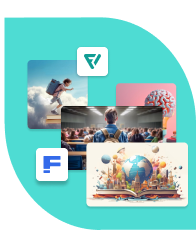
Get creative in your presentations and choose from millions of images from Magnific and Flaticon, Slidesgo’s sister projects.
Accessible and inclusive
Each template is designed for inclusion, and following recommendations for ADHD and autism spectrum considerations.
Suitable for students of all ages
Generate usernames and passwords without requiring users to enter any personal information.
Learn more
SLIDESGO WORKS WITH YOUR DAY-TO-DAY TOOLS




Privacy and data management
Suitable for students of all ages–we comply with the Data Protection Policy for minors
We do not collect personal data for subsidiary accounts linked to the admin account. This means you can generate usernames and passwords without requiring users to enter any personal information. Check our Frequently Asked Questions section to learn more about COPPA and FERPA laws and the Data Protection Policy for minors



Frequently asked questions
What are the benefits of a Premium subscription?
- Get access to over 15,000 Premium, ad-free assets and templates to create without limits
- Bigger discounts for bigger teams, up to 20%
- Add, remove or reassign users as necessary, or leave them unassigned
- Share templates with no need to credit Slidesgo
- Priority support
- Suitable for minors–we comply with the Data Protection Policy for minors and FERPA law
- Up to 1,000 users
Can I use my downloaded content for professional purposes?
I am a Premium user. Do I have to attribute the author of the content?
Is my subscription automatically renewed?
Can I cancel my subscription?
Remember that you will remain a premium user until the expiration date of the subscription. This information can be found on your subscription page.
I am no longer a Premium user. Do I keep the non attribution license for my downloaded assets?
This license allows you to use Slidesgo’s templates without having to credit us, and will remain in effect even after your subscription expires.
Remember that you must keep any license you have downloaded on your computer or storage device so that we can guarantee the correct use of our resources.
Please note that our Premium templates can be downloaded from your download history for as long as your subscription is active.
Can I cancel my subscription and order a refund of my purchase?
How can I assign users to my Slidesgo subscription plan?
Via email. Users can join a team by receiving an invitation email, allowing them to set up an account and its associated password themselves. This option is best for adults, as it enables them to use their personal or work email to manage their privacy settings.
Manually. Users can also join a team by being manually added by the admin. At Slidesgo, we strongly recommend this option for minors and underage students–even those with an email account–since the admin can generate usernames and passwords without adding any personal information.
What are FERPA, COPPA, and GDPR laws?
FERPA (Family Educational Rights and Privacy Act) is a United States federal law that protects the privacy of student education records. This law applies to all schools that receive funding from the U.S. Department of Education. FERPA gives parents certain rights to access and control their child's education records while also limiting the disclosure of personally identifiable information in those records without parental consent.
COPPA (Children's Online Privacy Protection Act) is a U.S. federal law that regulates the collection of personal information from children under 13. The law requires website operators to obtain verifiable parental consent before collecting, using, or disclosing personal information from children. COPPA also requires operators to notify parents about their information practices and to delete personal information upon request.
GDPR (General Data Protection Regulation) is a European Union regulation that governs the collection, use, and storage of the personal data of EU citizens. This law applies to all organizations, regardless of their location, that process the personal data of EU citizens. GDPR gives individuals greater control over their personal data, including the right to access, correct, and delete their data. The regulation also requires organizations to obtain consent for the collection and use of personal data and to implement appropriate security measures to protect personal data.
How can the members of my subscription log in to their accounts?
Users invited via email: They can use the link provided to set up their accounts themselves. After that, they can log in normally using the login button.
Users manually added: These users must log in via a custom URL for your school or company using the provided username and password. You can find this custom URL in your account's "My team" section. Within this section, you’ll find the "Access URL" button under the list of users. This will open a new page with a link, which you must share with your users so they can log in to their Premium accounts.
If the manually added users do not have an email associated with them, how can they recover or change their password?
If you need further information, please contact us
Fall in love with teaching again
Transform the way you teach, share your passion and spark your students’ interest again. You just need the right tool
Get in touch